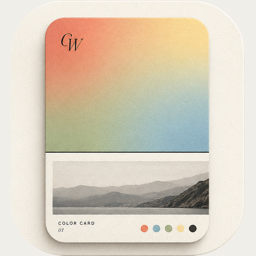
 ColorWander
 Support
Get help
Email chenzhenghao94@gmail.com — bug reports, feature requests, or general feedback all welcome.
If you're reporting a bug, the following details help us reproduce it quickly:
- Your iOS version (Settings → General → About).
- Your iPhone model.
- What you did just before the issue happened — which screen, which buttons, did you switch a layout / language / literary mode.
- If a card looks wrong: a screenshot.
Common questions
Why doesn't my photo show a city in the caption?
The city caption is drawn from your photo's EXIF GPS metadata. iPhone strips GPS in some scenarios — for example, photos shared via WeChat or AirDropped from another device often arrive without GPS. ColorWander then falls back to an on-device scene description ("Sunset", "Forest"). To keep the location, pick the photo directly from your own Photos library on the same device that took it.
Why is the location in the wrong language?
Apple's reverse-geocoder doesn't always honor the requested locale, especially for coordinates inside China. For English Literary mode, ColorWander will attempt a Pinyin transliteration as a fallback (北京 → Beijing) so the caption stays in one script. You can also tap the location text on the card to type it in any language you like.
Can I edit the literary quote?
Yes. Tap the literary text on the card to open the inline editor. You can pick a different auto-quote (the ↺ button), or type your own. The reset button restores the auto-pick.
Will my photo be uploaded anywhere?
No. ColorWander processes everything on your device. The only thing that leaves your device is the photo's GPS coordinate (when present), sent to Apple's CoreLocation reverse-geocoder or — when that fails — to OpenStreetMap's Nominatim service. Neither receives the photo itself. See Privacy for the full breakdown.
How do I export a Live Photo card?
If you picked a Live Photo from your library, the export screen offers both "Save still" and "Save Live Photo" — the second creates a paired video card you can post as a Live Photo on Instagram, WeChat Moments, etc.
Other
For privacy concerns, see the Privacy Policy. For terms of use, see Terms.